3 Months
- Full Live TV & Adult 18+ Categories
- HD, Full HD & UHD Streams
- M3U & Xtream Login Credentials
- Optional Parental PIN Support
Learn how an IPTV password for adults differs from a device parental PIN, why no single default code works everywhere, and how to lock, reset, or troubleshoot access controls safely.
Need a reliable subscription that works cleanly with app-level PIN locks across 1 to 4 household screens? Compare our active tiers below before diving into the technical guide.
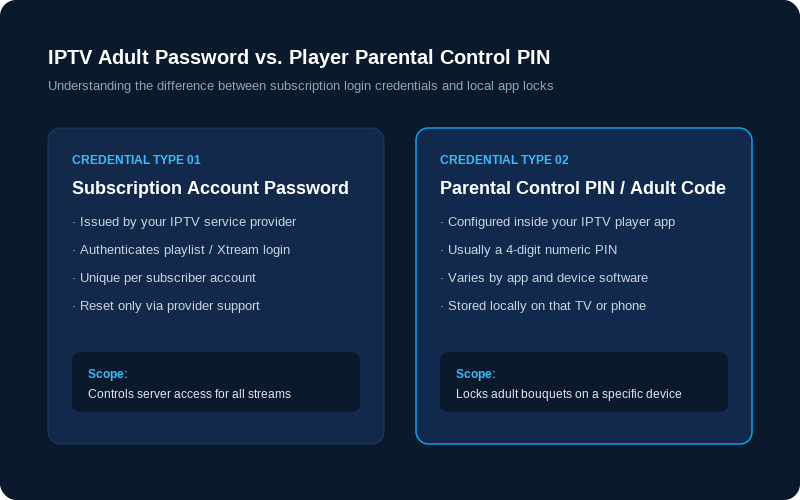
When people search for an IPTV adult password or IPTV adult code, they are usually dealing with one of two completely different access layers—and mixing them up is the top reason troubleshooting fails.
First, there is your subscription account password, which pairs with your username or M3U token to authenticate your player against the streaming server. Second, there is a parental control PIN, which is a local numeric passcode stored inside your Smart TV, Fire TV, or mobile player app to lock or hide mature channel bouquets.
Most modern IPTV subscriptions combine general family programming with dedicated 18+ folders inside one master playlist. Without access controls, anyone picking up the living-room remote could accidentally open mature categories.
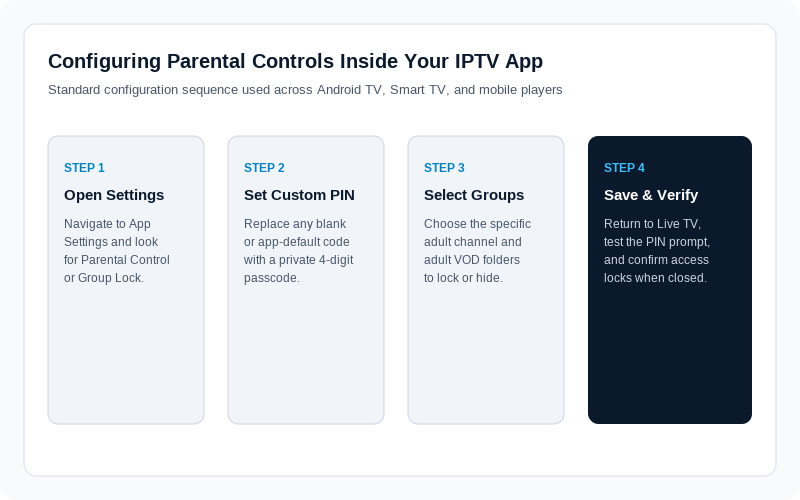
To prevent accidental access, IPTV client applications implement parental lock settings that monitor specific group-title folders. Once activated, opening any channel inside that locked group triggers an on-screen keypad prompt—or removes the category from the main menu altogether until unlocked.
You can inspect how folders are structured in our Adult IPTV Channels organization guide.
How parental locks behave across Smart TVs, Firestick, Android TV, and mobile devices.
On Samsung Tizen, LG webOS, or dedicated MAG/set-top portals, parental PINs are tied either to the local TV app profile or to the portal's remote configuration panel. Always set a custom 4-digit code immediately after loading your playlist rather than leaving the field empty.
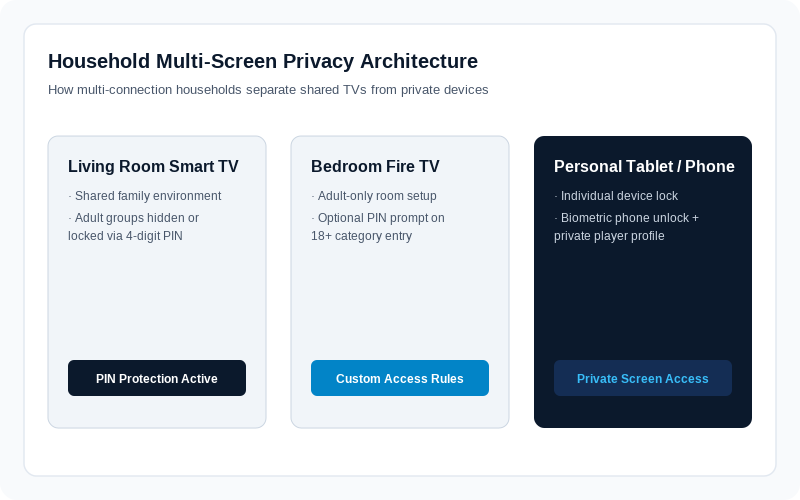
Players like TiviMate and IPTV Smarters store the IPTV adult channels password (PIN) locally on each Firestick or Android TV box. Changing the PIN in your bedroom does not automatically update the living-room TV—you must configure each device separately.
Mobile players often support both an in-app parental PIN and your phone's operating-system lock (Face ID, Touch ID, or device passcode). Combining both prevents accidental taps when handing a tablet to another person.
Desktop apps like VLC open raw M3U playlists directly and usually do not enforce category-level PIN prompts out of the box. If you share a computer, store custom filtered .m3u files inside a password-protected user account or use Kodi's Master Lock feature.
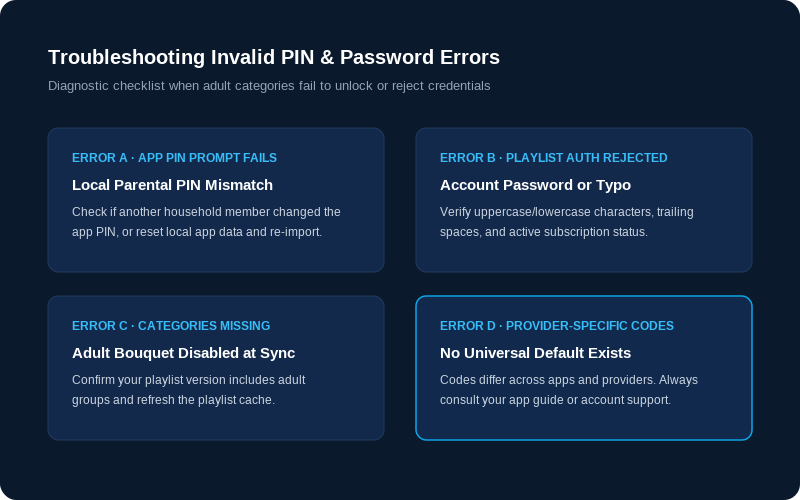
If your IPTV password for adults fails or a locked folder refuses to open, use this diagnostic order before reinstalling your app:
Good PIN hygiene protects both your privacy and your subscription stability:
0000, 1111, or 1234 with a private code known only to adult account holders.Exploring how multi-connection plans work? Check our Adult IPTV Subscription homepage or review IPTV with adult content privacy options.
No. There is no single universal code that unlocks adult categories across every IPTV service or player application. Parental PINs and account passwords depend on your specific player software and provider configuration.
Your IPTV account password authenticates your entire subscription playlist with the streaming server, whereas a parental PIN is a local 4-digit passcode configured inside your player app to restrict mature categories on a specific screen.
If you forgot a local app parental PIN, clear the player's app cache/settings or reinstall the player and re-import your playlist. If your subscription login password fails, request a credential check from your IPTV provider.
Yes. Because parental control PINs and hidden-group rules are saved per player installation, each device on a multi-connection plan can use its own visibility rules.
Reach out to our support team with your IPTV player name and device model, or choose a multi-connection plan for separate household screens.